Quick Start
Copy page
Start developing your agents with the Inkeep Agent framework
Launch your first agent
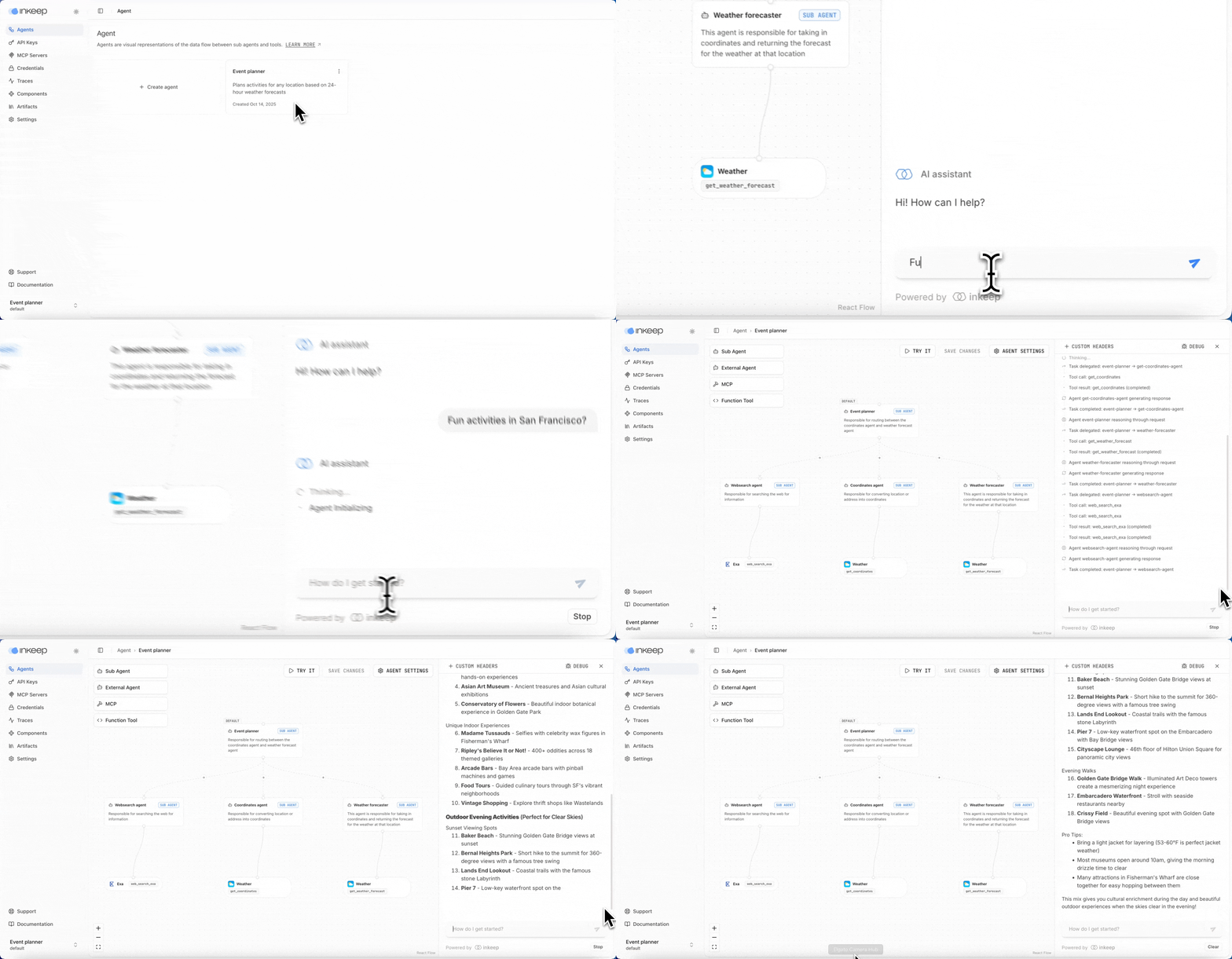
Visual guide to the Quick Start steps
Prerequisites
Before getting started, ensure you have the following installed on your system:
You can verify your installations by running:
Step 1: Create a new agents project
First, create a new agents project.
Navigate to the new agents project.
Step 2: Launch the dev environment
The Visual Builder automatically opens at http://localhost:3000.
Step 3: Chat with your agent
Navigate to the Event Planner agent at http://localhost:3000, click Try it, and ask about fun activities at a location of your choice.
Step 4: Install Inkeep MCP (optional)
To help with development, add the Inkeep Agents MCP to your preferred IDE or MCP client. It has tools to help "vibe code" agents with the Inkeep SDK.


Or manually install with any MCP client:
Next steps
Next, we recommend learning about inkeep push and inkeep pull so you can go from SDK -> Visual Builder and Visual Builder -> SDK. See the Push / Pull guide for a quick example.